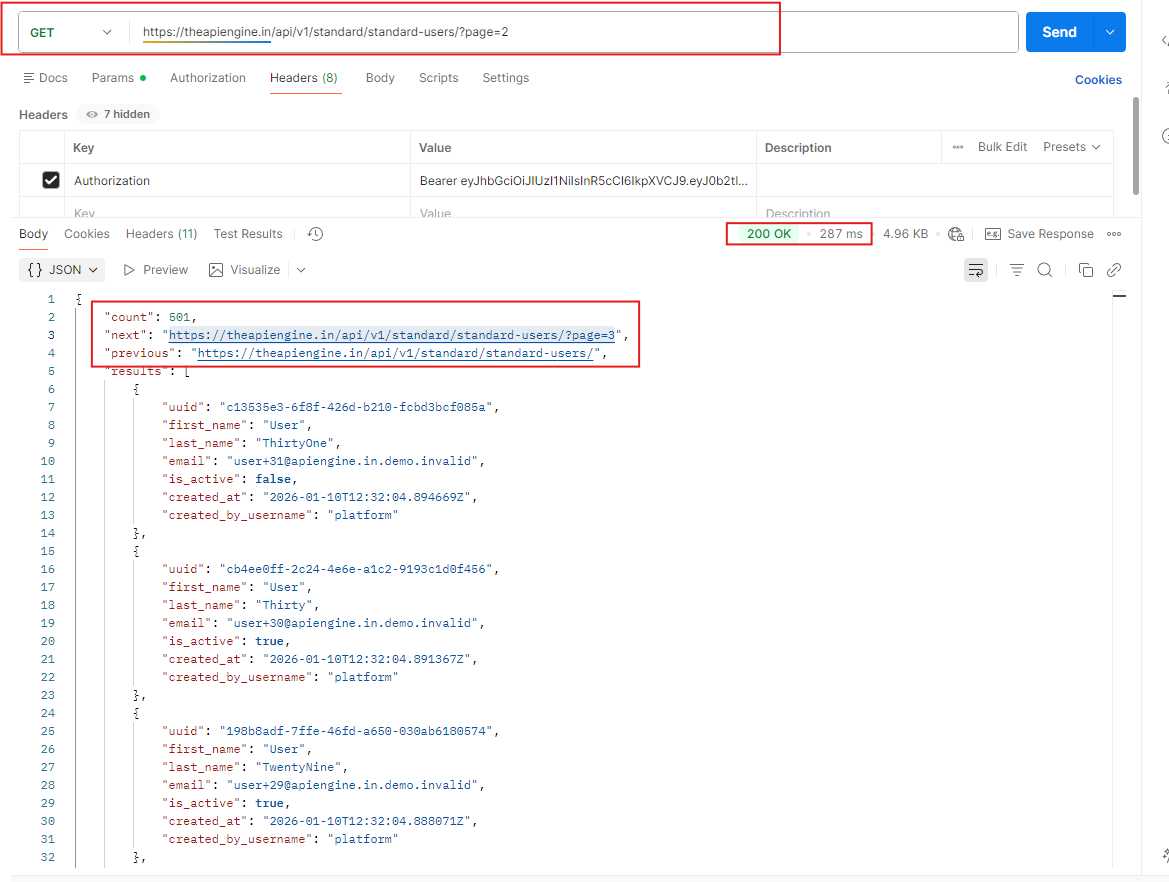
GET https://theapiengine.in/api/v1/standard/standard-users/?page=2
Allows users to fetch paginated Standard User model records, and allows then to switch to next/previous page.
Endpoint Details
Endpoint Name
Get Standard User Records with Pagination Support
Authentication Required
Yes
Minimum Plan
FREE onwards
HTTP Method
GET
Endpoint Path
https://theapiengine.in/api/v1/standard/standard-users/?page=2
Status
ActiveEndpoint Description
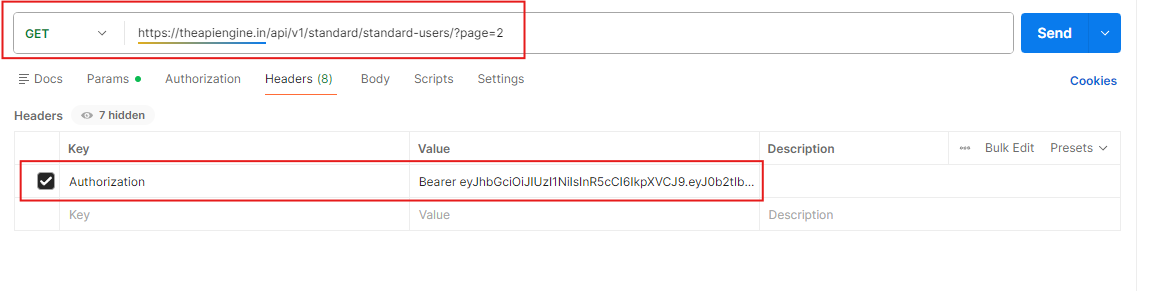
Overview This request retrieves a paginated list of standard user records from TheAPIEngine platform. Method: GET URL: https://theapiengine.in/api/v1/standard/standard-users/?page=2 Auth: Authorization: Bearer Use this endpoint to browse or list standard users in pages instead of fetching all users at once. Pagination The endpoint uses a page query parameter for pagination. Query parameter: page Type: integer Required: no (defaults to the first page if omitted) Examples: ?page=1 – first page of results ?page=2 – second page of results (this request) ?page=3 – third page of results, and so on To change the page, adjust the page value in the query string. Response Structure The response is a JSON object with the following top-level fields: count (number) Total number of user records available across all pages. next (string | null) URL to fetch the next page of results, or null if there is no next page. previous (string | null) URL to fetch the previous page of results, or null if there is no previous page. results (array of objects) The list of user records for the current page. Each item in results has the following fields: uuid (string) – Unique identifier of the user. first_name (string) – User’s first name. last_name (string) – User’s last name. email (string) – User’s email address. is_active (boolean) – Indicates if the user account is active. created_at (string, ISO 8601 datetime) – When the user record was created. created_by_username (string) – Username of the actor/system that created the user (e.g., platform). Usage Notes Make sure a valid Bearer access token is provided in the Authorization header. Use the next and previous URLs from the response to navigate through pages without manually constructing query strings.
Request ↔ Response Flow
Sample Request
Sample Response